
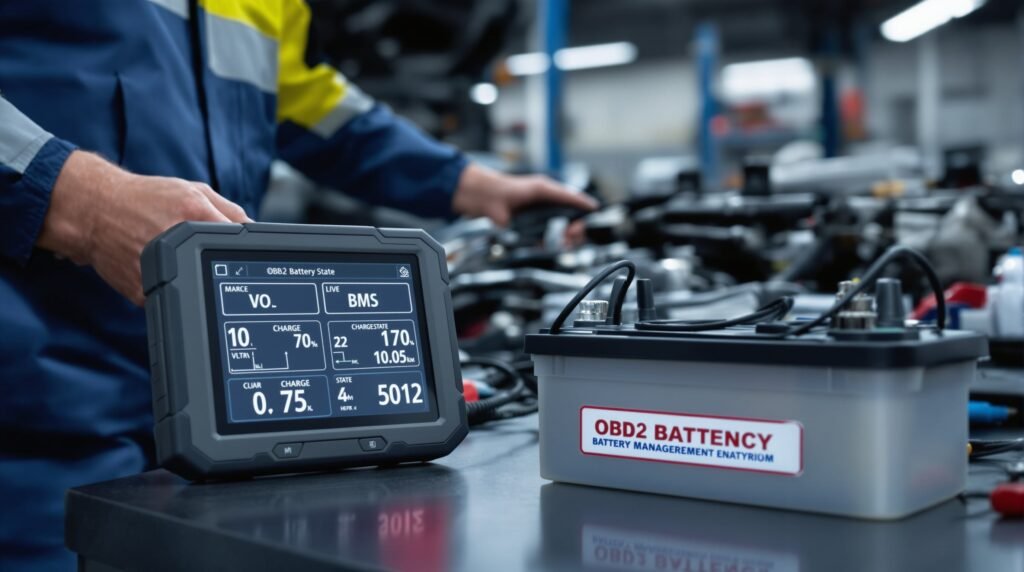
La sustitución de la batería es un mantenimiento rutinario, pero los coches modernos a menudo se comportan de forma extraña después del cambio. El sistema de arranque y parada se desactiva, la luz de carga permanece encendida o el motor arranca lentamente. Si esto le suena familiar, su vehículo necesita un Reinicio del BMS (sistema de gestión de la batería)-un proceso que muchos conductores desconocen. Esta guía explica por qué ocurre y cómo arreglarlo tú mismo en lugar de pagar entre 80 y 150 euros en el concesionario.
Síntomas comunes tras la sustitución de la batería
Después de instalar una batería nueva, es posible que note:
- Sistema Start/Stop desactivado - La función de conducción ecológica desaparece y el motor funciona continuamente.
- La luz de carga permanece encendida - El aviso del salpicadero se queda encendido aunque el alternador funciona bien
- Oscurecer los faros y las luces interiores - La luminosidad fluctúa o se siente más débil que antes
- Arranque lento del motor - El motor de arranque hace girar el motor lentamente, como si la batería estuviera débil.
- Modo ralentizado o potencia reducida - La gestión del motor actúa con excesiva cautela
- Errores de ajuste del combustible - La inyección de combustible se ajusta incorrectamente, lo que afecta al ralentí y a la capacidad de respuesta del motor.
Estos síntomas no significan que su nueva batería esté defectuosa. Al contrario, el ordenador de su vehículo aún no reconoce la batería de recambio.
Por qué sucede: El perfil de la batería de la ECU
Los vehículos modernos -especialmente los que cuentan con sistemas de arranque y parada, tecnología híbrida o gestión avanzada de la batería- controlan continuamente el rendimiento de la batería. El sitio Unidad de control del motor (ECU) almacena un perfil detallado de tu antigua batería, incluyendo:
- Estabilidad de la tensión con distintas cargas
- Tasa de aceptación de carga y capacidad
- Resistencia interna y patrones de envejecimiento
- Rendimiento en frío
- Variaciones sanitarias estacionales
Cuando se instala una batería nueva, la ECU detecta un perfil eléctrico desconocido. El sistema no reconoce las características de voltaje ni el comportamiento de la nueva batería. Como medida de seguridad desactiva las funciones de alto consumo, como arranque/parada, Este modo de protección persiste hasta que el ordenador vuelve a aprender el perfil de la batería. Este modo de protección persiste hasta que el ordenador vuelve a aprender el perfil de la batería, un proceso que lleva días o semanas de conducción normal, o que puede acelerarse con un reinicio adecuado del BMS.
¿Qué módulos están afectados?
Tres sistemas principales del vehículo controlan el estado de la batería:
BCM (módulo de control de la carrocería) - Gestiona el sistema de arranque y parada, el alumbrado y los accesorios eléctricos. Supervisa la tensión para decidir si es seguro desactivar el motor.
PCM (Módulo de control del tren de potencia) - Controla el motor, la transmisión y la inyección de combustible. Ajusta la estrategia de carga en función del estado de la batería.
BMS (sistema de gestión de baterías) - En los híbridos y los VE modernos, el BMS gestiona activamente los ciclos de carga, supervisa el estado de las celdas y comunica el estado de la batería al sistema de gestión del motor.
Los tres módulos almacenan códigos de aprendizaje adaptativo vinculados a su antigua batería. Un reinicio borra estos códigos para que el sistema pueda aprender de su nueva batería sin confusión.
Pasos de diagnóstico para verificar y solucionar el problema
Paso 1: Leer los códigos de avería del BCM y del BMS
Conecte un escáner de diagnóstico OBD2 (Bluetooth o USB) al puerto de diagnóstico del vehículo. Busque códigos relacionados con:
- Tensión de la batería fuera de rango
- Mal funcionamiento del sistema de carga
- Start/stop no disponible
- Errores del sistema de gestión de la batería
Documente todos los códigos antes de proceder. Estos códigos no desaparecerán por sí solos-necesitan borrado manual tras el reinicio.
Paso 2: Verificar el voltaje de la batería durante el arranque
Arranque el motor y monitorice los datos en vivo. El voltaje de la batería debe:
- En reposo: 13,5-14,5V (motor apagado: 12,6-12,8V)
- Durante el arranque: Bajar a no inferior a 9,6V durante al menos un segundo
- Al ralentí: Vuelve a 13,5-14,5 V en segundos
Si la tensión cae por debajo de 9,6 V durante el arranque, es posible que la batería esté defectuosa. Si las tensiones son normales, continúe con el paso 3.
Paso 3: Supervisar los datos en tiempo real del sistema de carga
En el menú de datos en directo, marque:
- Tensión de salida del alternador: Debe coincidir con el voltaje de la batería (13,5-14,5 V al ralentí)
- Corriente de carga: Debería aumentar bajo carga (luces encendidas, calefacción de cabina en marcha)
- Estado de carga de la batería: Debe mostrar aproximadamente 100% después de conducir
Carga restringida (tensión o corriente del alternador inferior a la normal) indica que la ECU está limitando deliberadamente la carga para “proteger” una batería desconocida.
Paso 4: Revisar el historial de aprendizaje de la batería
Muchas herramientas de diagnóstico muestran estado de aprendizaje de la batería en datos en directo:
- Aprendizaje: 0-30% - El sistema aún se está adaptando a la nueva batería
- Aprendizaje: 70-100% - El sistema confía en el rendimiento de la batería
Si el aprendizaje se atasca por debajo de 30% o muestra estados de error, continúe con el Paso 5.
Paso 5: Realizar el Reset/Recalibrado del BMS
No todas las herramientas de diagnóstico admiten el restablecimiento del BMS, una limitación de muchos escáneres posventa. Sin embargo, las herramientas profesionales y los equipos de los concesionarios suelen incluir esta función. Los procedimientos de restablecimiento varían según el fabricante del vehículo:
- Audi/Volkswagen/Skoda: Requiere “Registro de gestión de batería” o “Recalibrar batería” en funciones especializadas.
- BMW: Necesita “Restablecer la gestión de la batería” en el menú de codificación.
- Mercedes: Utiliza la función “Restablecimiento del estado de la batería
- Ford/GM: Requiere la reprogramación del módulo o la rutina “Aprender capacidad de la batería”.
Si su herramienta admite el restablecimiento del BMS, inicie el procedimiento. El reinicio normalmente implica:
- Conectar el encendido sin arrancar
- Dejar que el sistema se calibre durante 2-5 minutos
- Arrancar el motor y hacerlo funcionar durante 30 segundos
- Apagar todo y esperar 30 segundos
- Volver a empezar para confirmar que el restablecimiento se ha realizado correctamente
Paso 6: Borrar códigos de aprendizaje adaptativo
Después del reinicio, borrar todos los códigos de avería almacenados. Esto elimina el antiguo perfil de la batería de la memoria y obliga a la ECU a empezar a aprender desde cero.
Verificación posterior al restablecimiento
Después de completar el reinicio del BMS:
Ciclo de arranque en frío: Apague el vehículo, espere 10 minutos y, a continuación, póngalo en marcha. Observe un arranque suave y un ralentí estable.
Control de ralentí: Deje el motor al ralentí durante 5 minutos. RPM debe estabilizarse en 500-800 RPM sin fluctuación.
Pruebe la función de arranque/parada: Conduzca a baja velocidad (menos de 10 km/h) sin utilizar el control de crucero. El sistema Start/Stop debería volver a activarse y funcionar con normalidad.
Comprobación del sistema de carga: Encienda los faros y la calefacción del habitáculo. La tensión de carga debe permanecer entre 13,5 y 14,5 V sin que se encienda la luz de carga.
Herramientas compatibles con el restablecimiento del BMS
No todos los escáneres OBD2 pueden realizar reinicios BMS. Herramientas que normalmente apoyan esta función incluyen:
- VCDS (VAG-Com) - Vehículos VW/Audi/Skoda
- INPA/JTAG - Vehículos BMW
- Mercedes StarDiagnosis - Vehículos Mercedes
- IDS/Forscan - Vehículos Ford
- Abrites - Soporte multimarca
Si posee una de estas herramientas profesionales, el restablecimiento del BMS es un proceso de 5 minutos. Si no, el servicio del distribuidor es la alternativa.
Comparación de costes: Bricolaje vs. Distribuidor
| Opción | Coste | Tiempo | Esfuerzo |
|---|---|---|---|
| Restablecimiento del BMS del distribuidor | €80-€150 | 30-60 minutos | Entrega del vehículo |
| Bricolaje con herramienta de diagnóstico propia | 0 € (herramienta ya poseída) | 15-20 minutos | Autoservicio a domicilio |
| Bricolaje con herramienta comprada | 150- 500+ euros (coste de la herramienta) | 20 minutos de reinicio | Autoservicio, amortizar en usos futuros |
| Esperar al aprendizaje automático | €0 | 1-3 semanas de conducción | Ninguna, pero soportan un rendimiento reducido |
PREGUNTAS FRECUENTES: Preguntas sobre el restablecimiento de la batería
P: ¿Realmente necesito restablecer la batería? ¿No puedo conducirlo sin más?
A: Puede conducir, pero el sistema de arranque y parada no funcionará, la carga puede estar restringida y la eficiencia del combustible se resiente. El restablecimiento tarda 20 minutos y restaura la funcionalidad completa de inmediato.
P: ¿Se restablecerá automáticamente?
A: La adaptación parcial se produce a lo largo de 1-3 semanas de conducción, pero el arranque/parada suele permanecer desactivado. Un reinicio manual obliga al sistema a reconocer la nueva batería al instante.
P: ¿Es seguro conducir sin reiniciar el BMS?
A: Sí, pero el motor funciona continuamente (sin start/stop), la carga es conservadora y el ahorro de combustible disminuye en 5-10%.
P: ¿Puedo hacerlo yo mismo sin herramientas especiales?
A: Sólo si usted posee una herramienta de diagnóstico profesional que soporta BMS reset. Los escáneres Bluetooth del mercado de accesorios no suelen ser compatibles con esta función.
P: ¿Cuánto tiempo debo esperar después de cambiar la batería para que se reinicie?
A: Realice el reinicio inmediatamente después de la instalación mientras la batería está completamente cargada. Esperar unas semanas no dañará nada, pero perderás eficiencia mientras tanto.
P: ¿Se apagará el testigo de revisión del motor después de reiniciarlo?
A: Sí, una vez que se borran los códigos de avería después del reinicio. La luz debe permanecer apagada una vez que el sistema re-learns la nueva batería.
P: ¿Se rompe la batería nueva si aparecen estos síntomas?
A: No. Los síntomas indican que el vehículo no reconoce la batería, no que la batería esté defectuosa. Una comprobación del voltaje bajo carga debería confirmar que la batería está sana.
Conclusión
La sustitución de la batería es sencilla, pero los coches modernos necesitan reaprender su sistema eléctrico después. Un restablecimiento del BMS acelera este proceso de semanas a minutos. Si dispone de una herramienta de diagnóstico profesional, reinícielo usted mismo. Si no, una rápida visita al concesionario le ahorrará semanas de rendimiento reducido. En cualquier caso, entender por qué se producen estos síntomas le ayudará a tomar una decisión informada y evitar sustituciones innecesarias de la batería.
 English
 French
 Spanish
 German
 Polish
 Czech
Czech Romanian
 Italian