
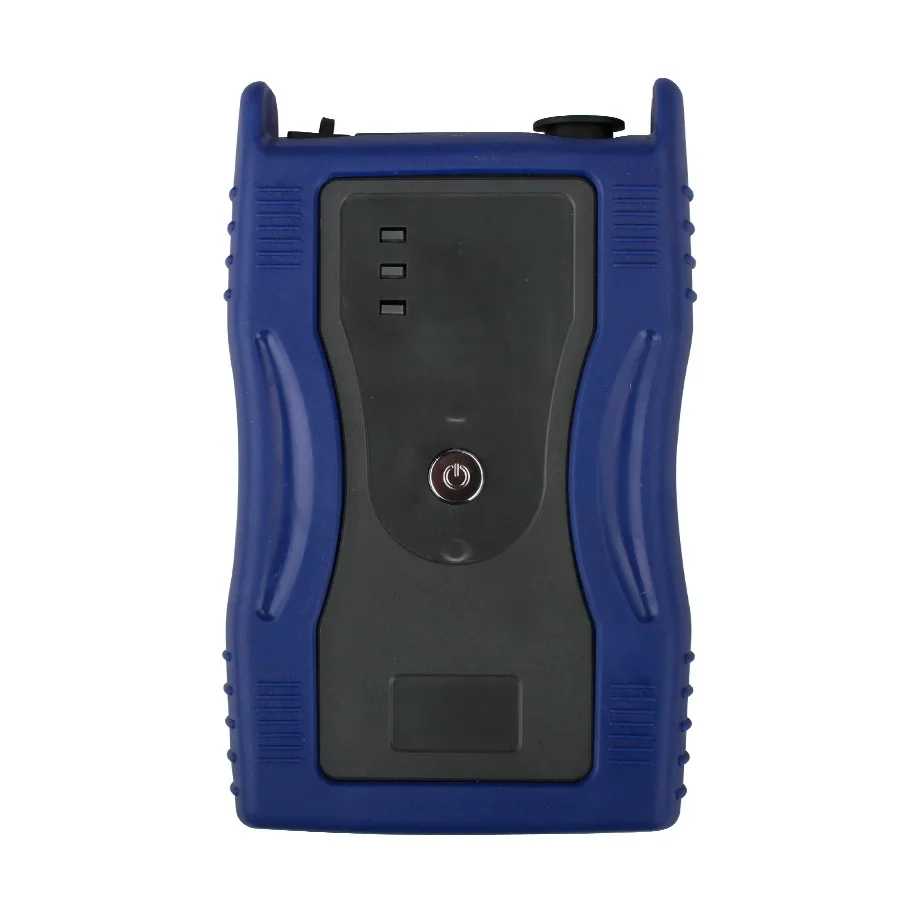
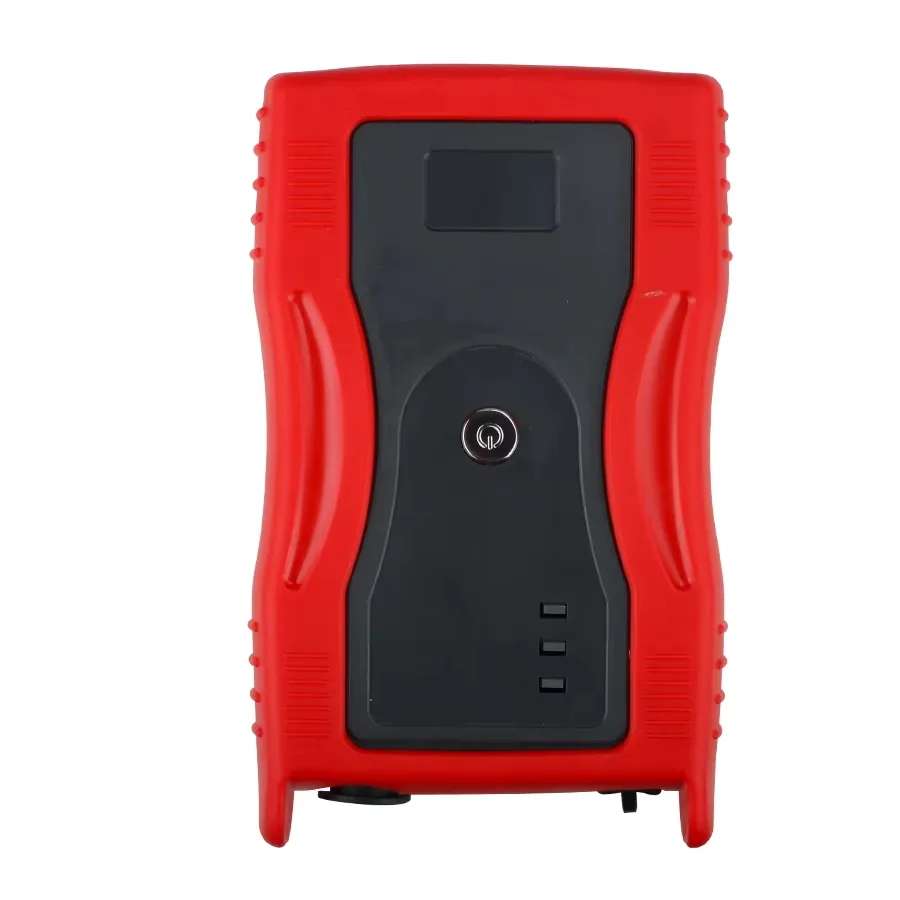
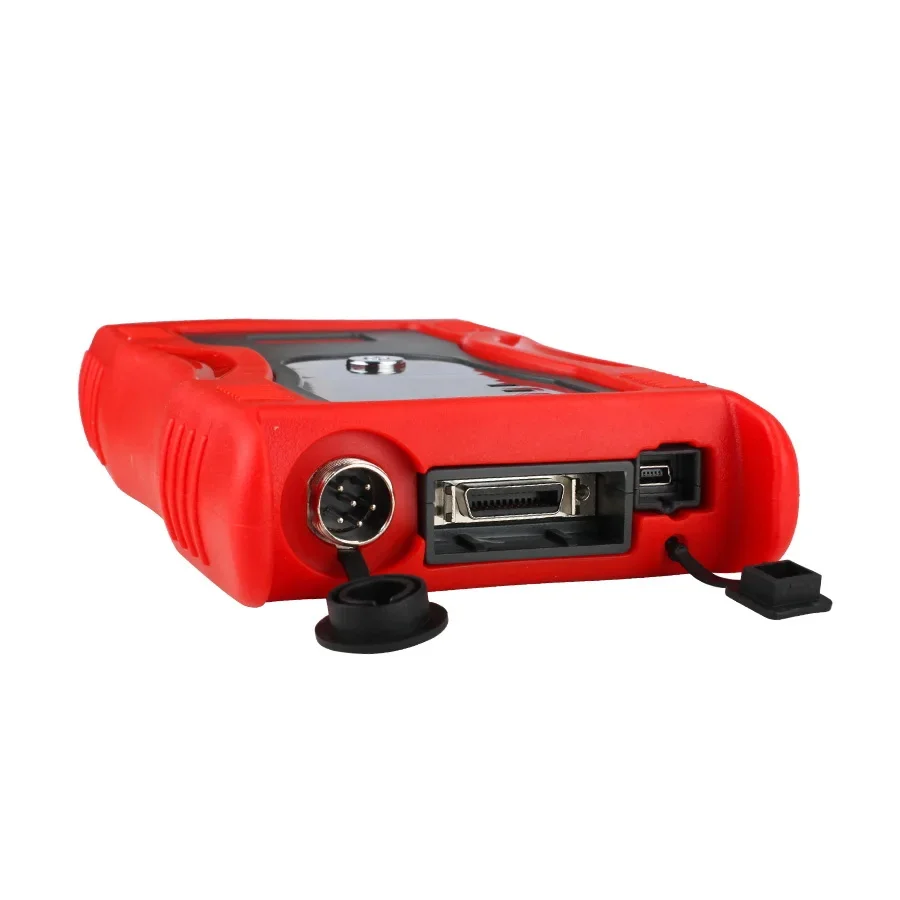
GDS VCI Professional Diagnostic Tool - Interface de niveau concessionnaire pour Hyundai et Kia avec module de déclenchement
Les Outil de diagnostic professionnel GDS VCI est le système de services le plus avancé disponible pour Hyundai et Kia véhicules. Cette interface haute performance offre une couverture complète, digne d'un concessionnaire, y compris une prise en charge intégrale de tous les modèles hybrides. Contrairement aux scanners génériques, le GDS VCI propose une solution de diagnostic entièrement intégrée, combinant des informations techniques d'entretien, des procédures de dépannage guidées et des capacités avancées de reprogrammation au sein d'une seule et même plateforme puissante.
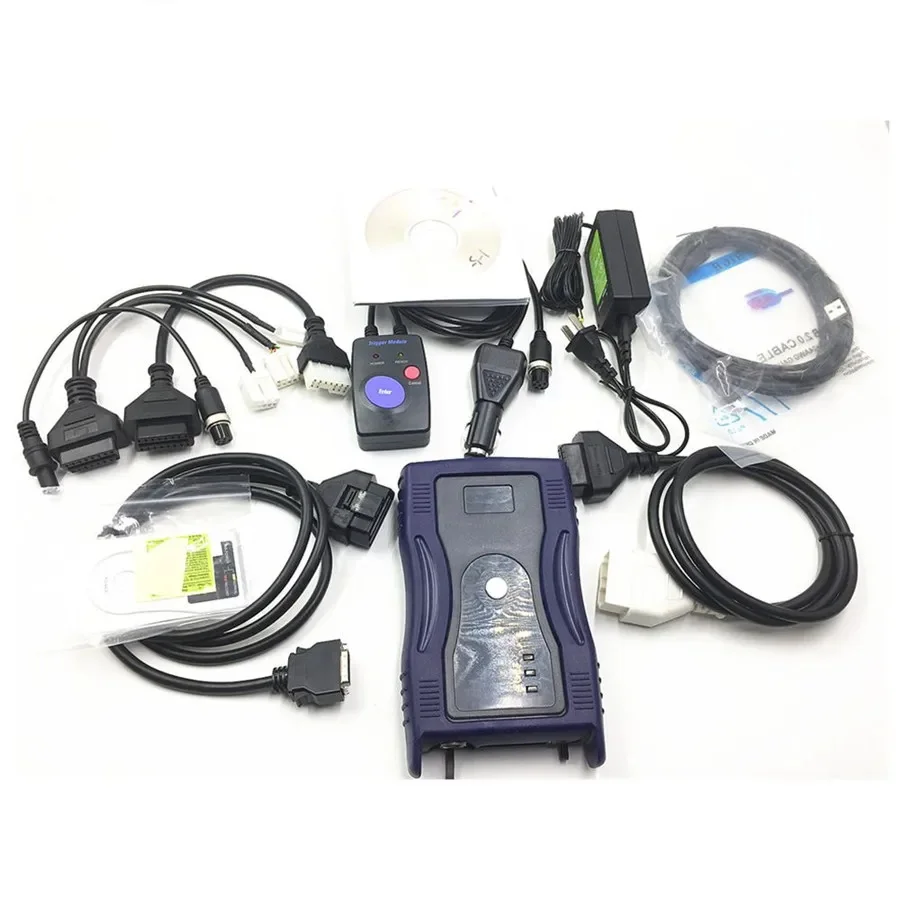
Cette version comprend les éléments suivants Module de déclenchement (enregistrement de vol), ce qui permet un enregistrement plus détaillé de l'état du véhicule, que ce soit au ralenti ou en marche. Nous donnons accès à la fois au Versions américaine et européenne du logiciel via des liens de téléchargement, ce qui vous garantit une couverture aussi large que possible des marchés automobiles mondiaux.
Couverture mondiale des véhicules et des systèmes
Le GDS VCI est conçu pour prendre en charge une vaste gamme de modèles dans toutes les grandes régions, offrant une communication approfondie avec l'architecture électronique du véhicule.
- Assistance logicielle internationale: Accès aux deux nord-américain et européen bases de données logicielles.
- Plage d'années élargie: Compatible avec les véhicules à partir de De 1996 à 2017 (selon la région et le modèle).
- Compatibilité avec les carburants: Prise en charge complète des deux Essence et diesel moteurs sur l'ensemble de la gamme de véhicules particuliers et de véhicules utilitaires légers.
- Assistance hybride: Protocoles de diagnostic spécialisés pour les systèmes des véhicules hybrides Hyundai et Kia, y compris la gestion des batteries haute tension.
Fonctions professionnelles de diagnostic et de programmation
Le GDS (Global Diagnostic System) est bien plus qu'un simple lecteur de codes ; il s'agit d'une bibliothèque technique complète et d'une suite de diagnostics qui fonctionne exactement comme les équipements utilisés dans les concessions officielles.
🔍 Diagnostics avancés et dépannage guidé
- Analyse complète du système: Accédez à tous les modules électroniques, notamment ceux du moteur, de la transmission, de l'ABS, des airbags, du BCM et de la climatisation.
- Procédures guidées: Suivez les procédures de dépannage spécifiques au fabricant pour isoler les pannes en fonction des symptômes, afin de garantir un taux élevé de résolution dès la première intervention.
- Bibliothèque technique: Accédez à une vaste base de données contenant des informations d'entretien, des schémas de câblage électrique et des bulletins techniques, directement depuis l'interface du logiciel.
📊 Module de déclenchement et fonction d'enregistrement de vol
- Enregistrement des données mobiles: Utilisez le module de déclenchement fourni pour enregistrer les données du véhicule en temps réel pendant la conduite. Cela est indispensable pour détecter les problèmes intermittents de “ hésitation ” ou de “ calage ” qui ne se produisent pas en atelier.
- Analyse des tendances des données: Exportez les données enregistrées vers votre PC pour analyser les tendances et identifier avec précision, à la milliseconde près, le moment où un capteur présente une variation ou où un défaut se déclenche.
- Commande d'actionneur: Activez manuellement des composants tels que les ventilateurs de refroidissement, les pompes à carburant ou les solénoïdes afin de vérifier leur bon fonctionnement physique au cours du processus de diagnostic.
🛠️ Service et entretien
- Réinitialisation du service: Réinitialisez les indicateurs de durée de vie de l'huile et les intervalles d'entretien en respectant scrupuleusement les spécifications du constructeur.
- Reprogrammation des modules: Effectuer les mises à jour logicielles des calculateurs et gérer les micrologiciels afin de corriger les défauts de fabrication ou d'optimiser les performances du moteur et de la boîte de vitesses.
- Étalonnage du système: Calibrez les capteurs d'angle de braquage (SAS), les corps de papillon et les systèmes de classification des occupants (OCS) après toute réparation ou tout remplacement de pièce.
Qualité du matériel et caractéristiques techniques
Le matériel GDS VCI est conçu pour offrir une stabilité professionnelle et une communication haut débit avec le réseau CAN-BUS du véhicule.
- Version du micrologiciel: V2.24 (La version la plus stable pour garantir la fiabilité à long terme du diagnostic et de la programmation).
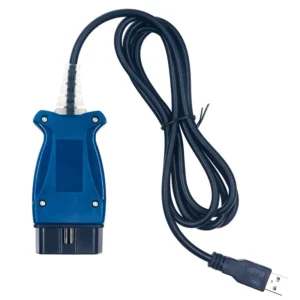
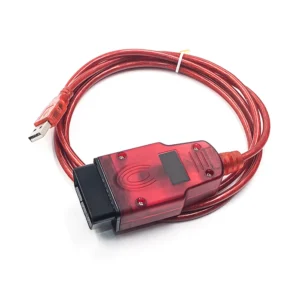
- Design bicolore: Disponible en Bleu (marque Hyundai) ou Rouge (marque Kia). Ces deux appareils sont identiques sur le plan technique et prennent en charge les deux marques.
- Prise en charge complète des versions antérieures: Comprend des services spécialisés Adaptateurs à 20 broches et à 12 broches indispensables pour les anciens modèles Hyundai et Kia, afin de ne jamais avoir à refuser un client.
- Langue: Le logiciel est disponible en plusieurs langues : anglais, français, allemand, espagnol, italien, tchèque, russe, turc, polonais, portugais, bulgare, hongrois, roumain et grec.
Résoudre les problèmes courants sur les modèles Hyundai et Kia
Le GDS VCI est l'outil principal permettant de résoudre les problèmes spécifiques propres à ces fabricants :
- Défauts du système hybride: Diagnostiquer les déséquilibres des cellules de la batterie haute tension, les problèmes de refroidissement de l'onduleur et les erreurs du module de commande hybride.
- “ À-coup de changement de vitesse ” de la boîte de vitesses”: Procéder aux adaptations nécessaires au niveau de la transmission et aux mises à jour logicielles des boîtes de vitesses automatiques à 6 et 8 rapports afin de remédier aux changements de vitesse brusques.
- Clé intelligente et dispositif d'immobilisation: Effectuer le dépannage des systèmes d'ouverture sans clé et vérifier la communication par antenne entre la clé et le véhicule.
- Étalonnage de l'ABS/ESC: Veillez à recalibrer correctement le système de contrôle électronique de la stabilité après toute intervention sur la suspension ou le remplacement de la crémaillère de direction.
- Coupures de courant intermittentes: Utilisez la fonction « Flight Record » pour surveiller la pression dans la rampe d'injection et la pression de suralimentation du turbocompresseur pendant un cycle de conduite afin d'identifier la cause première du problème.
⚠️ Consignes d'utilisation et d'installation importantes
Afin de garantir une installation réussie et une longue durée de vie de votre matériel, veuillez suivre ces consignes professionnelles :
- Système d'exploitation: Optimisé pour Windows XP ou Windows 7. Pour une expérience optimale, il est recommandé d'utiliser un ordinateur portable dédié au diagnostic.
- Séquence d'installation: Logiciels Hyundai et Kia ne peut pas être installé sur le même ordinateur. Vous devez d'abord installer les fichiers “ Hyundai Master ”, ou utiliser deux partitions ou deux ordinateurs portables différents pour les marques distinctes.
- NE FAITES JAMAIS DE MISE À JOUR EN LIGNE: N'essayez pas de mettre à jour le logiciel ou le micrologiciel via le site web du fabricant. Utilisez uniquement les fichiers fournis afin d'éviter d'endommager la carte électronique interne.
- Accès aux logiciels: Nous proposons les deux versions régionales du logiciel, ce qui vous permet d'accéder aux dernières mises à jour de la base de données sans avoir à attendre la livraison.
- Note relative à la programmation: Bien que le GDS VCI prenne en charge les mises à jour d'usine des calculateurs, dans les cas de “ perte de toutes les clés ” ou de codage de modules à usage intensif, des codes PIN de sécurité spécifiques fournis par le constructeur peuvent être nécessaires.

 English
 French
 Spanish
 German
 Polish
 Czech
Czech Romanian
 Italian
Avis
Il n’y a encore aucun avis