
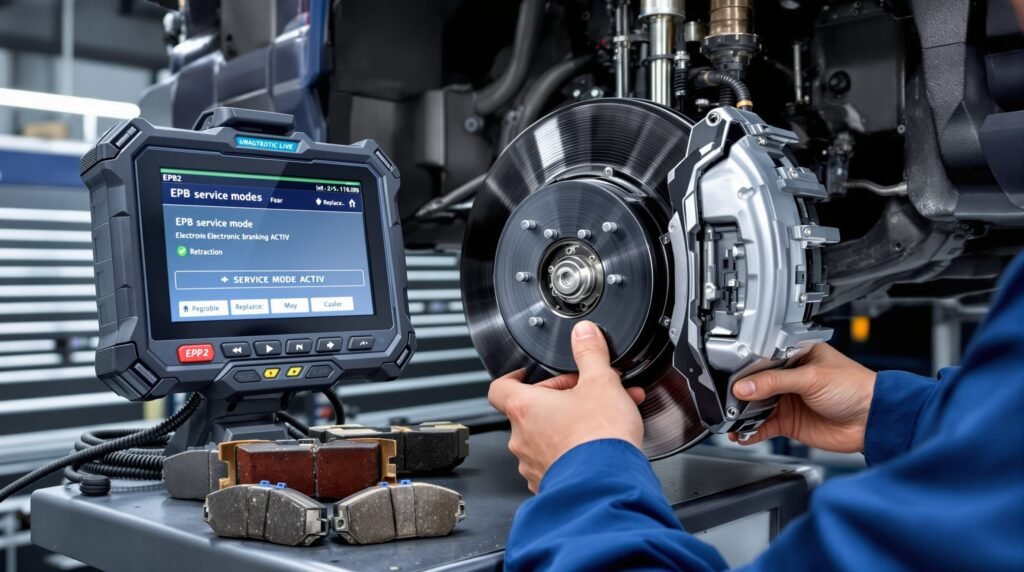
Modul de service al frânei de mână electronice (EPB): frânele din spate nu se retrag? Iată soluția
Motoarele frânei de mână electronice (EPB) scârțâie și refuză să se retragă după înlocuirea plăcuțelor de frână? Vehiculul dumneavoastră nu este defect — trebuie doar să intre în modul de service pentru a recalibra și a retrage în condiții de siguranță. Aflați cum să diagnosticați și să remediați această problemă frecventă fără a deteriora motorul etrierului și fără a plăti peste 120 € la reprezentanță.
Simptome frecvente ale sistemului EPB după revizia frânelor
Dacă ați înlocuit recent plăcuțele de frână și observați acum oricare dintre aceste probleme, este probabil ca sistemul EPB să fie blocat în modul de calibrare:
- Motorul frânei de mână scârțâie sau bâzâie – Motorul are dificultăți în a se retrage complet
- Plăcuțele de frână s-au blocat fizic – Etrierul nu se eliberează complet
- Lampa de avertizare EPB este aprinsă – Lumina galbenă de pe tabloul de bord indică o defecțiune sau o necesitate de întreținere
- Nu se poate menține vehiculul pe pantă – Frâna nu se activează corespunzător
- Coduri de eroare în modulul BCM/EPB – Scanarea de diagnosticare evidențiază defecțiuni legate de poziție sau de consumul de curent
- Se aude un clic, dar nu se retrage – Motorul este alimentat cu curent, dar etrierul nu se mișcă
De ce motoarele EPB nu se retrag după înlocuirea plăcuțelor de frână
Sistemul electronic de frânare de parcare de pe vehiculele moderne este inteligent și cu reglare automată. Iată ce se întâmplă:
Plăcuțele de frână noi sunt, de obicei, cu 1,5–2 mm mai gros decât plăcuțele uzate. Motorul EPB și mecanismul etrierului se reglează automat în funcție de uzura plăcuțelor pe toată durata de viață a acestora, dar fac acest lucru în pași mici. Când montați plăcuțe noi, etrierul se confruntă brusc cu o grosime suplimentară la care nu se aștepta. Motorul nu se poate retrage suficient de mult — se lovește de o rezistență mecanică și se blochează, generând un cod de eroare.
Sistemul se protejează împotriva deteriorării. Acesta refuză să forțeze etrierul deoarece retragerea excesivă ar putea deteriora garnitura motorului sau mecanismul intern. Soluția nu constă în a forța mai tare, ci în a indica sistemului: “au fost montate plăcuțe noi; te rugăm să te adaptezi și să-ți resetezi punctele de referință”.”
Siguranța pe primul loc: Ce NU trebuie să faci
- Nu acționați niciodată frâna de mână cu mâna. Tragerea manuală a manetei etrierului sau lovirea motorului va duce la uzura angrenajelor și la distrugerea mecanismului.
- Nu deconectați bateria. Această operațiune nu va reseta datele adaptive; dimpotrivă, va complica și mai mult funcționarea modulului și va face codurile mai greu de interpretat.
- Nu ignorați codurile de eroare. Codurile vă indică exact ce problemă a detectat sistemul — citiți-le înainte de a încerca să remediați defecțiunea.
- Nu ocoliți electronic EPB-ul. Dezactivarea verificărilor de siguranță este ilegală în majoritatea regiunilor și periculoasă pe porțiunile cu pantă.
Calea de diagnosticare: Citirea sistemului
Înainte de a intra în modul de service, a identifica cauza exactă a defecțiunii. Conectați un scaner profesional de diagnosticare OBD2 compatibil cu modulul EPB/BCM:
- Citește toate codurile de eroare de la modulul de comandă al frânelor (BCM) sau de la modulul de comandă al sistemului EPB (la unele vehicule este denumit modul ABS, iar la altele este un modul combinat ABS/EPB)
- Verificați datele în timp real:
- Consumul de curent al motorului EPB (normal: 0,5–3 A în timpul mișcării; în blocaj: 5–8 A sau întrerupere după expirarea timpului de așteptare)
- Informații privind poziția etrierului (ar trebui să indice deplasarea în procente)
- Valorile înregistrate de senzorul de uzură al plăcuțelor de frână (confirmă faptul că plăcuțele sunt acum mai groase)
- Indicatori de stare a motorului (în mișcare, blocat, eroare sau inactiv)
- Evaluarea stării de funcționare a BCM: Modulul răspunde la comenzi? Există o întârziere sau o eroare de comunicare?
Procedura pentru modul de service: pas cu pas
Obiectiv: Comandați sistemului EPB să retragă complet motorul sub controlul software-ului, astfel încât acesta să poată reînregistra noua grosime a plăcuței.
- Conectați scanerul de diagnosticare la portul OBD2 (motor oprit, contactul pornit)
- Accesați modulul EPB/Frână → Funcții de service sau teste ale actuatoarelor
- Selectați “Modul de service EPB” sau “Retragerea etrierului”
- Lansarea comenzii de retragere a motorului – motorul se va retrage încet, sub control deplin, fără limite de consum de curent
- Așteptați finalizarea – de obicei între 10 și 30 de secunde; asigurați-vă că motorul funcționează lin, fără zgomote de frecare
- Eliberarea frânei de mână pe cale electronică prin meniul de service (dacă este disponibil)
- Activați și dezactivați ciclul de 3–5 ori:
- Acționează frâna (motorul se extinde, plăcuțele de frână se strâng)
- Eliberați frâna (motorul se retrage lin)
- Asigurați-vă că funcționarea este lină și silențioasă
- Verificați dacă indicatorul luminos de avertizare se stinge după fiecare eliberare
- Șterge datele de învățare adaptivă dacă modulul oferă această opțiune (resetează calibrarea la setările din fabrică, permite reînvățarea)
- Șterge toate codurile de eroare odată ce motorul funcționează fără probleme
- Test de conducere și să verifice dacă funcționează normal
Verificarea ulterioară prestării serviciului
Nu te limita doar la ștergerea codurilor și plecarea. Verifică:
- Parcați pe o pantă cu panta de 15–20% și acționați frâna de mână — ține?
- Eliberați frâna de mână — se eliberează ușor, fără zgomote de frecare?
- Fii atent la orice sunet de clic sau zumzet — funcționarea normală este aproape silențioasă
- Lumina de avertizare ar trebui să fie stinsă în timpul conducerii normale
- Efectuați 10 cicluri de cuplare/decuplare pentru a asigura o funcționare uniformă
- Scanați din nou modulul — nu ar trebui să apară coduri de eroare noi
Proceduri specifice mărcii privind modul de service
VW/Audi: Aplicația VAG-COM sau OBDeleven → Modulul 3-ABS/EPB → Grupul 1 → Testele 02 (Retragere) sau 03 (Activare)
BMW: ISTA/D → Modul de comunicații al vehiculului → Comanda frânei de mână → Teste funcționale → Retragerea etrierului
Mercedes: DTS/Xentry → Sistem de frânare → Motorul frânei de mână → Funcții de service → Resetare/Calibrare
Ford: Software Forscan sau OEM → Modul de detectare a pedalei de frână → Programarea modulului → Calibrarea EPB
Notă: Dacă scanerul dumneavoastră nu este compatibil cu vehiculul dumneavoastră, atelierul independent la care apelați poate accesa software-ul OEM prin abonament sau poate contacta dealerul pentru o resetare de service (60–120 €).
Decuplare manuală de urgență (nu sunt disponibile funcții de diagnosticare)
În cazul în care nu sunt disponibile funcții de diagnosticare, majoritatea vehiculelor dispun de un mecanism de eliberare mecanic:
- VW/Audi: Scoateți manșonul frânei de mână; accesați maneta de eliberare manuală situată în spatele inelului de reglare
- BMW: Desfaceți panoul consolei centrale; localizați clapeta roșie de eliberare de urgență și rotiți-o
- Mercedes: Localizați ansamblul motorului EPB sub scaunul șoferului; accesați fanta de eliberare manuală cu ajutorul unei scule adecvate
- Ford: Accesați mecanismul de eliberare prin ansamblul pedalei de frână — consultați manualul de service al producătorului pentru a afla poziția exactă
Avertisment: Utilizați declanșarea manuală numai dacă vehiculul este oprit pe un teren plat și înțelegeți riscurile. Repuneți sistemul în funcțiune cu testele de diagnosticare cât mai curând posibil.
Greșeli frecvente de evitat
- Acționarea forțată a manetei etrierului – Vei deteriora garnitura motorului și vei face ca problema să devină permanentă
- Conectarea unei tensiuni de 12 V direct la bornele motorului – Aceasta ocolește limitarea curentului și duce la supraîncălzirea motorului
- Ignorarea codurilor de eroare și simpla lor ștergere – Codurile reapar deoarece cauza principală nu a fost remediată
- Deconectarea bateriei – Asta nu ajută; pur și simplu șterge istoricul diagnosticelor de care ai nevoie
- Combinarea plăcuțelor vechi cu cele noi – Sistemul presupune o grosime uniformă; plăcuțele de dimensiuni diferite determină o poziționare incorectă a etrierului
Defalcarea costurilor
- Resetarea sistemului EPB prin procedură DIY cu OBDeleven/Forscan: 0 € (abonament la aplicație: 50–100 € pe an, plată unică dacă intenționați să efectuați mai multe lucrări)
- Serviciu/resetare EPB la dealer: 60–180 € (în funcție de marcă și regiune)
- Înlocuirea motorului EPB: 300–800 € (costul motorului + manopera)
- Înlocuirea completă a ansamblului etrierului spate: 400–1 200 € (în cazul unor avarii motrice grave)
O alegere inteligentă: Mai bine investești acum 30 de minute în diagnosticare decât să plătești mai târziu peste 200 € pentru serviciile dealerului.
Întrebări frecvente
Î: Pot înlocui plăcuțele de frână fără diagnosticarea sistemului EPB?
R: Da, dar numai dacă vehiculul dumneavoastră este echipat cu o frână de mână manuală sau cu un sistem EPB mai vechi, fără funcție de învățare adaptivă. Sistemele EPB adaptive moderne (din 2010 încoace) necesită activarea modului de service după înlocuirea plăcuțelor de frână; în caz contrar, acestea se pot bloca. Consultați întotdeauna manualul de service corespunzător modelului dumneavoastră.
Î: Ce se întâmplă dacă motorul nu se mișcă nici măcar în modul de service?
R: Este probabil ca motorul să fie avariat la interior sau blocat. Verificați consumul de curent — dacă acesta depășește 8 A și se întrerupe, înseamnă că motorul este blocat mecanic. Este necesară înlocuirea motorului; diagnosticarea în sine nu va rezolva această problemă.
Î: Este sigur să conduci cu un cod de eroare EPB?
R: Este posibil ca frâna de mână să nu țină pe pante, iar sistemul va rămâne într-o stare de funcționare defectuoasă. Conduceți cu prudență până ajungeți pe un teren plat și efectuați imediat o diagnosticare. Conducerea îndelungată în condițiile unei defecțiuni a frânei de mână electronice (EPB) prezintă riscul unei defecțiuni a frânelor pe pante.
Î: Am nevoie de software OEM sau este suficient un scaner generic?
R: Scanerele generice pot citi codurile, dar, de obicei, nu pot intra în modul de service. Pentru a beneficia de toate funcționalitățile, sunt necesare instrumente specifice mărcii (VAG-COM, Forscan, OBDeleven) sau software-ul OEM. Verificați specificațiile scanerului înainte de a începe.
Î: Cât durează modul de service?
R: 15–30 de minute în total — diagnosticare și introducerea datelor (5 min), procedura în modul de service (10–20 min), verificare (5 min).
Î: Resetarea în modul de service va funcționa la toate vehiculele?
R: Funcționează pe orice vehicul dotat cu frână de mână electronică, dar procedura exactă variază în funcție de producător. Consultați manualul de întreținere al vehiculului dumneavoastră sau contactați un service independent din zona dumneavoastră cu experiență în frâne de mână electronice.
Lista de verificare finală
Înainte de a începe:
- ☐ Confirmați că sistemul EPB este instalat (consultați manualul de service sau verificați modulul)
- ☐ Obțineți un instrument de diagnosticare compatibil cu modulul EPB
- ☐ Citirea codurilor de eroare și înțelegerea erorii specifice
- ☐ Consultați procedura de service specifică mărcii din manual
În timpul funcționării:
- ☐ Monitorizați consumul de curent al motorului în timp real — nu ar trebui să depășească 3 A în timpul retragerii normale
- ☐ Verificați dacă motorul funcționează fără probleme (fără zgomote de frecare sau bâzâituri)
- ☐ Efectuați toate ciclurile de activare/dezactivare în modul de service
- ☐ Ștergeți codurile numai după ce testele motorului au fost trecute cu succes
Servicii post-vânzare:
- ☐ Test pe pantă — frâna de mână trebuie să mențină vehiculul nemișcat
- ☐ Verificați dacă indicatorul luminos de avertizare este stins
- ☐ Modulul de rescriere — nu ar trebui să apară defecțiuni noi
- ☐ Înregistrați detaliile serviciului pentru evidența dumneavoastră
Problemele legate de frâna de mână electronică nu necesită vizite costisitoare la service — ci o abordare corectă a diagnosticării. Intrați în modul de service, lăsați sistemul să se recalibreze și bucurați-vă de o funcționare lină și fiabilă a frânei de mână pentru mulți ani de acum înainte.
 English
 French
 Spanish
 German
 Polish
 Czech
Czech Romanian
 Italian